
Church management software: the whole administration in one place.
Membership, visitors, finance, small groups, Sunday school and assets on a single platform. Every ministry with its own access, the church's information gathered in one place, and the reports ready when you need them.

742 members
records always up to date
Monthly report
generated in seconds
Membership and records
Complete church membership management
A member's record holds personal data, address, family, roles and the church history — baptism, reception, transfer, removal. Each person gets a sequential ID within your account, and that same record feeds the treasury, the small groups, the Sunday school and the reports: an address fixed in one place is fixed everywhere.
- Online sign-up from a phone You share a link and the person fills in their own record; the office only reviews and approves.
- Requested record updates Ask a group of members to review their data and follow who has already answered.
- Main church and campuses apart Each campus with its own roll, and the main church seeing the whole.
- Membership statistics Growth by period, age bracket, marital status, baptisms and transfers.

Your own IDssequential per account
Finance
Church finances: tithes, offerings and accountability
The treasury records income and expenses by category and by account, issues a numbered receipt to the giver and closes the month without building a single spreadsheet. A tithe is recorded against the member — so the individual giving statement comes out ready, and the period report comes out with the church letterhead, to print or to file.
- Income, expenses and transfers By category, by account and by campus, with the receipt attached.
- Numbered receipts The church's own sequence, with the amount written out, ready to hand over.
- Entries that repeat Rent, payroll and the power bill are entered once and come back on their own every month.
- Accountability reports Month-end closing, trial balance by category and giving statements.

Month-end closingas a PDF, on the church letterhead
Visitors and small groups
From the first-time guest to the small group member
At the welcome desk, a tablet or kiosk records who arrived; the platform gets a screen of its own for the welcome, and the follow-up that comes next — a call, a home visit, a return — is logged with a date and the person responsible. When a guest decides to stay, they become a member carrying the whole history along, with nothing re-entered. From there the small group takes over: the network of groups, attendance at every meeting and the leader's weekly report.
- Check-in on a tablet or kiosk A large screen, few fields, and a panel of its own for whoever is on the welcome team.
- Presentation screen for the platform Today's arrivals, on the projector, respecting anyone who asked to stay discreet.
- Becoming a member with the history Every earlier visit and contact stays on the person's record.
- Small group leader panel Their own access, limited to their own group: attendance, group guests and the week's report.

Becomes a memberwithout losing the history
Your church's membership card, printed by you.
The system ships with a visual card builder: you pick the fields, apply the church logo and colors and print the whole list at once. Every card carries its own QR code or barcode, which any phone checks on a public verification page.
 Brazil
United States
Canada
Portugal · Spain · England
Brazil
United States
Canada
Portugal · Spain · England
Where we serve
One system, wherever your church is.
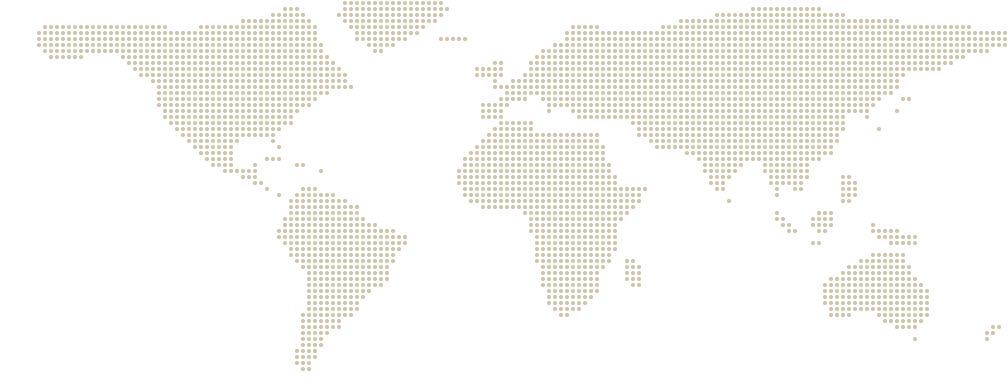
A congregation in Boston, a church plant in Lisbon, a ministry that started in Brazil and today has a campus in Florida. All three fit in the same system, with the same records, the same books and the same reports.
And it is not an adapted version: language, currency and date format are settings on the account. Every church sees the system the way its own country writes things, with no server to rent and nothing to install.
- English, Spanish and Portuguese — each user switches whenever they want.
- Dollar, euro, pound and real in the church's own books, with local date and time formats.
- Runs in the browser: the same screen on the secretary's phone and on the church computer.
- Support straight from the people who write the system.
Brazil · Canada · Portugal · Spain · England · United States: California, Tennessee, Georgia, South Carolina, Florida, Maryland, Delaware, New Jersey and Boston.
Talk to us
Still have a question? Talk to us now.
Write through the contact form and tell us what your church needs: how many members, how many campuses, what is done by hand today. We answer within one business day, with no sales script — and, if you like, we show the system running before you create an account.
Talk to us
Frequently asked questions
What people ask before starting.
Do I have to install anything?
No. IgrejaPrime runs in the browser, on any computer, tablet or phone with an internet connection. There is no program to install and no server to keep at the church.
How does the free trial work?
It is 14 days with the complete system, no credit card. You create the account, add your members and use everything. At the end you pick a plan or you simply stop.
My church has several campuses. Can I run them together?
Yes. One account is the main church plus its campuses. Every member and every entry belongs to the campus it came from, and any listing switches between the whole account and one campus at a time.
Can I control who sees what?
Yes. Permissions are by role and by module, with view, edit and delete separated. The small group leader files the meeting without seeing a treasury figure, and the treasurer works in finance without opening a member record.
I already have my membership data somewhere else. Can I bring it over?
Yes. Talk to us before you start: we help with importing the records so you do not retype anything.
Is the church data safe?
Access is over HTTPS, passwords are stored with Argon2id, the backup is automatic and every sensitive action is written to an audit trail. The system also exports a person's data and erases it on request.
How much does it cost?
Plans start at $49 a month, and paying yearly comes with two months off. The pricing page shows what each one includes.
Start today, with your real church.
Create the account, add your members and use the complete system for 14 days. No credit card, no commitment and no sales call first.